> ## Documentation Index
> Fetch the complete documentation index at: https://docs.unvest.io/llms.txt
> Use this file to discover all available pages before exploring further.
# Overview
> The Unvest Multisender allows you to send large amounts of any ERC20 token to multiple recipients with batched transactions.
Unvest Multisender is especially useful when you have a large list of recipients and don't want to pay numerous transaction fees or make errors.
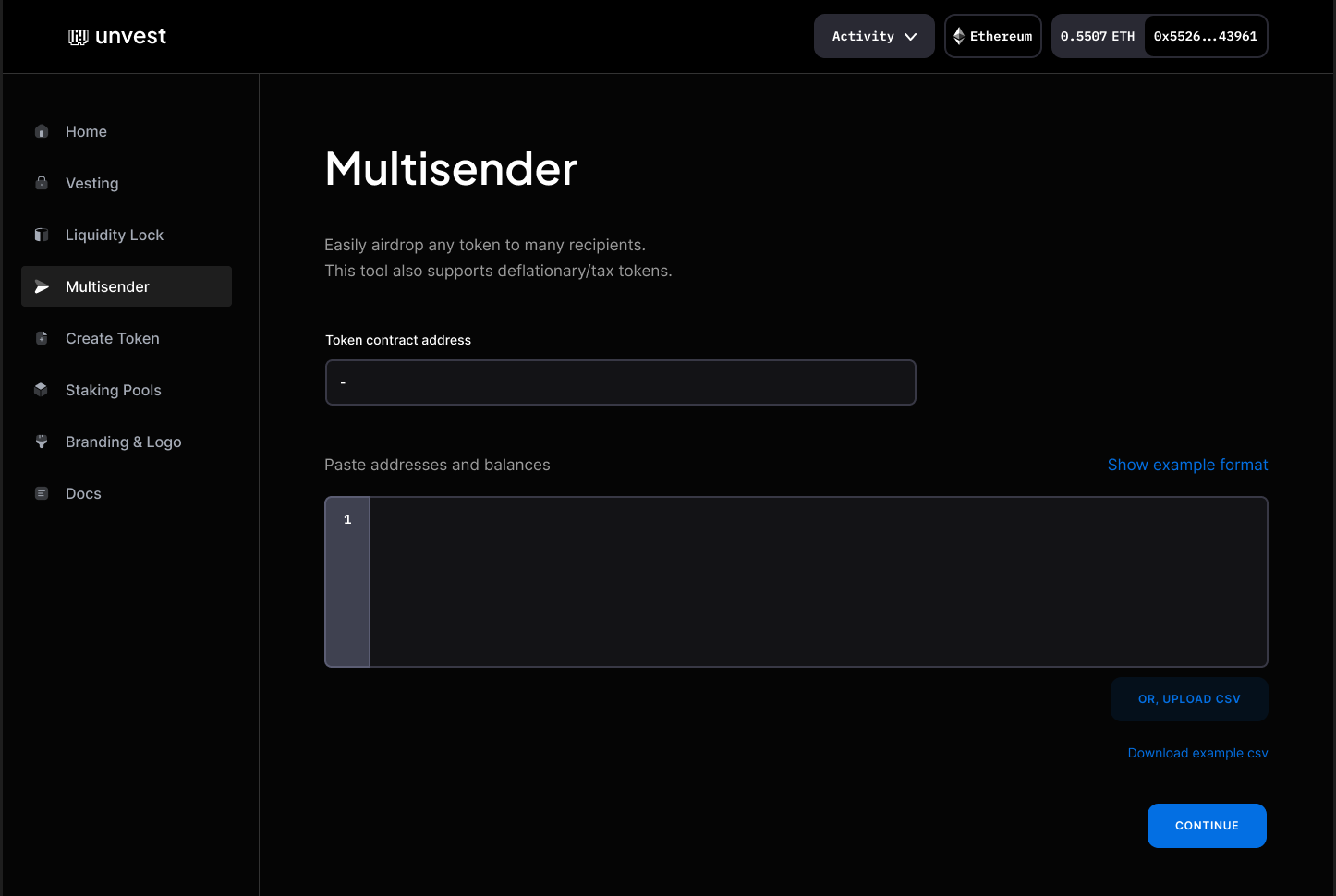 ### You can add recipients to your multi-send in one of three ways:
1. Type them one by one into the recipient field.
2. Upload a CSV file with the recipient information. You can download a template to help you format the file correctly.
3. Copy and paste recipient information from another document.
When adding recipients, it is important to follow the formatting rules. Each row should represent a single address, with the contents listed in the following order:
```csv Recipients field format theme={null}
[address],[balance],[nickname]
[address],[balance],[nickname]
[address],[balance],[nickname]
```
The Multisender is a quick and easy way to send tokens to a large number of recipients without having to pay multiple transaction fees.
### You can add recipients to your multi-send in one of three ways:
1. Type them one by one into the recipient field.
2. Upload a CSV file with the recipient information. You can download a template to help you format the file correctly.
3. Copy and paste recipient information from another document.
When adding recipients, it is important to follow the formatting rules. Each row should represent a single address, with the contents listed in the following order:
```csv Recipients field format theme={null}
[address],[balance],[nickname]
[address],[balance],[nickname]
[address],[balance],[nickname]
```
The Multisender is a quick and easy way to send tokens to a large number of recipients without having to pay multiple transaction fees.