> ## Documentation Index
> Fetch the complete documentation index at: https://docs.unvest.io/llms.txt
> Use this file to discover all available pages before exploring further.
# Buying and selling locked tokens before they vest
> If you are an investor in a presale round and your project is using Unvest services for token vesting, you'll have vestingTokens in your wallet representing your locked allocation.
These vestingTokens can be traded on dapps like [Illiquid Market](https://illiquid.market/). You can trade vestingTokens with other investors to increase or decrease your holdings.
For more documentation on Illiquid Market, go to [docs.illiquid.market](https://docs.illiquid.market/)
To trade vestingTokens on Illiquid Market, follow these instructions:
1. Find your project's investor dashboard. This can be a link shared by the project, or you can browse this page in the Unvest app: [app.unvest.io/projects](https://app.unvest.io/projects)\\
.png?fit=max&auto=format&n=ZPndW_DYd52BB9Sr&q=85&s=5f59ea031deee5e40ec7d6301b69cbd5) 2. Connect your wallet to the Unvest app and select the correct network.
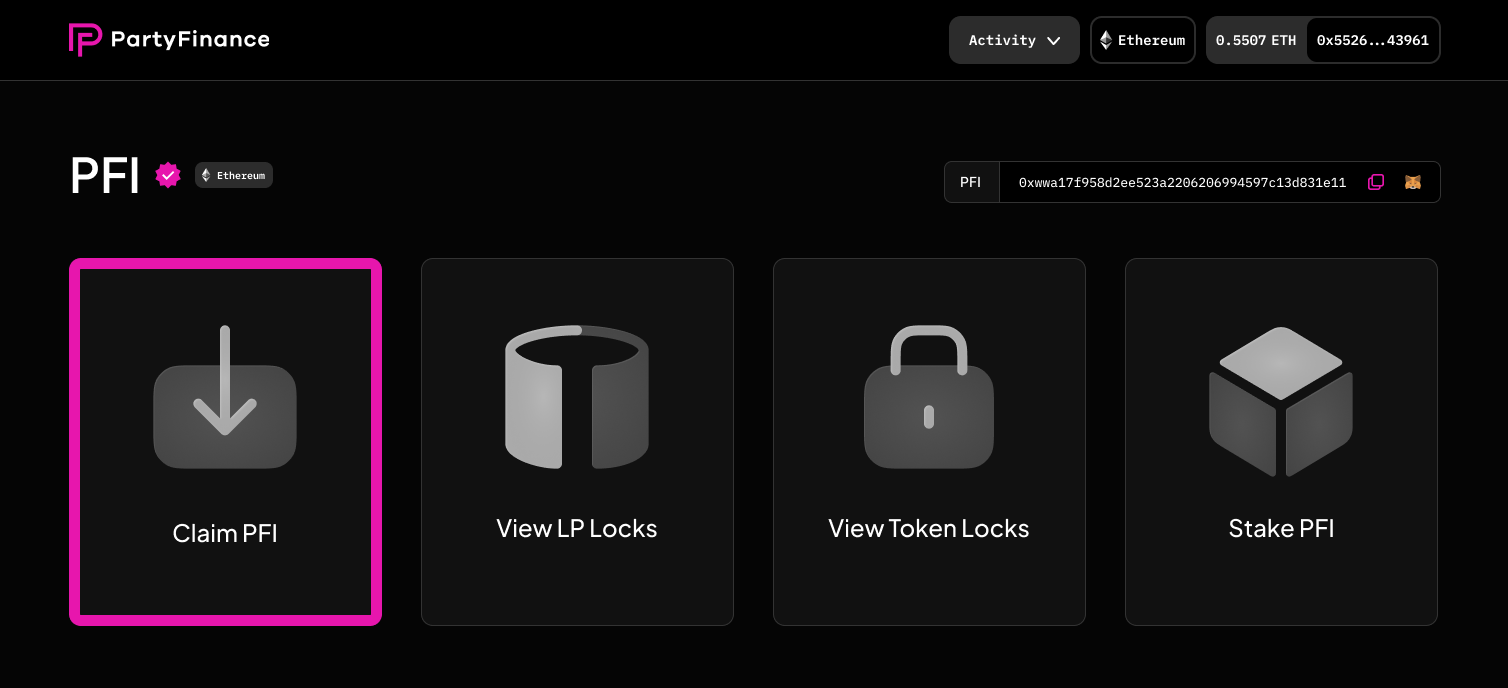
3. Click the "Claim Token" panel on the left.
2. Connect your wallet to the Unvest app and select the correct network.
3. Click the "Claim Token" panel on the left.
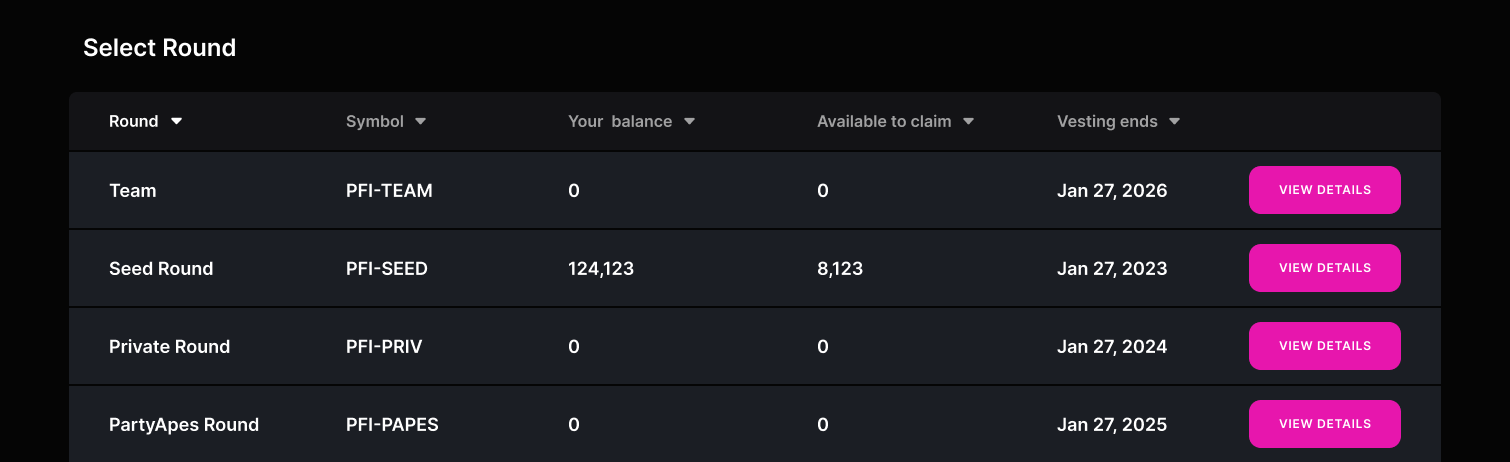
 4. Select the vesting round that you want to claim tokens from.
 5. Scroll down the page to the "Token Addresses" section. You can either copy the address (and paste it into Illiquid) or tap the "Browse Offers for X" button above.
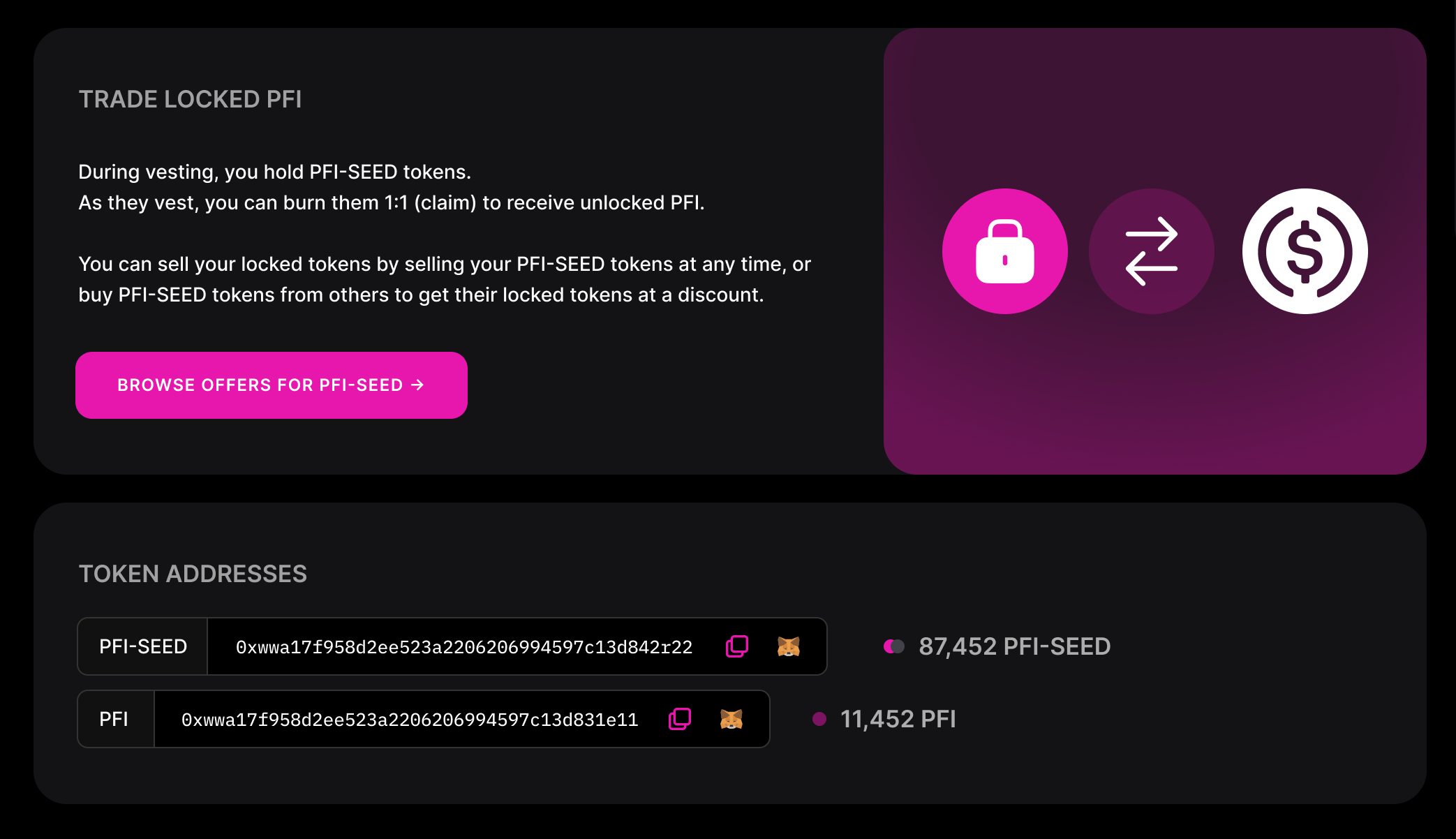 6. This will open a view in Illiquid where you can create orders and view and buy and sell orders that exist.
.png?fit=max&auto=format&n=ZPndW_DYd52BB9Sr&q=85&s=f82ed2aba7c503d9c9eb69377faf3ce2) 7. To create a new order, [follow these instructions →](https://docs.illiquid.market/tutorials/create-your-first-public-order)
8. To fill an existing order, [follow these instructions →](https://docs.illiquid.market/tutorials/fill-an-existing-buy-or-sell-order)
9. Remember to share a link to your offer in the token's community Discord or Telegram (if available) to increase visibility.
7. To create a new order, [follow these instructions →](https://docs.illiquid.market/tutorials/create-your-first-public-order)
8. To fill an existing order, [follow these instructions →](https://docs.illiquid.market/tutorials/fill-an-existing-buy-or-sell-order)
9. Remember to share a link to your offer in the token's community Discord or Telegram (if available) to increase visibility.