> ## Documentation Index
> Fetch the complete documentation index at: https://docs.unvest.io/llms.txt
> Use this file to discover all available pages before exploring further.
# Claiming tokens
> The Unvest Investor Dashboard is a tool that allows you to view and manage your vested tokens. In this tutorial, we will walk you through the steps of claiming your tokens using the Investor Dashboard
To claim tokens:
1. Find your project's investor dashboard. This can be a link shared by the project, or you can browse this page in the Unvest app: [app.unvest.io/projects](https://app.unvest.io/projects)\\
.png?fit=max&auto=format&n=ZPndW_DYd52BB9Sr&q=85&s=5f59ea031deee5e40ec7d6301b69cbd5) 2. Connect your wallet to the Unvest app and select the correct network.
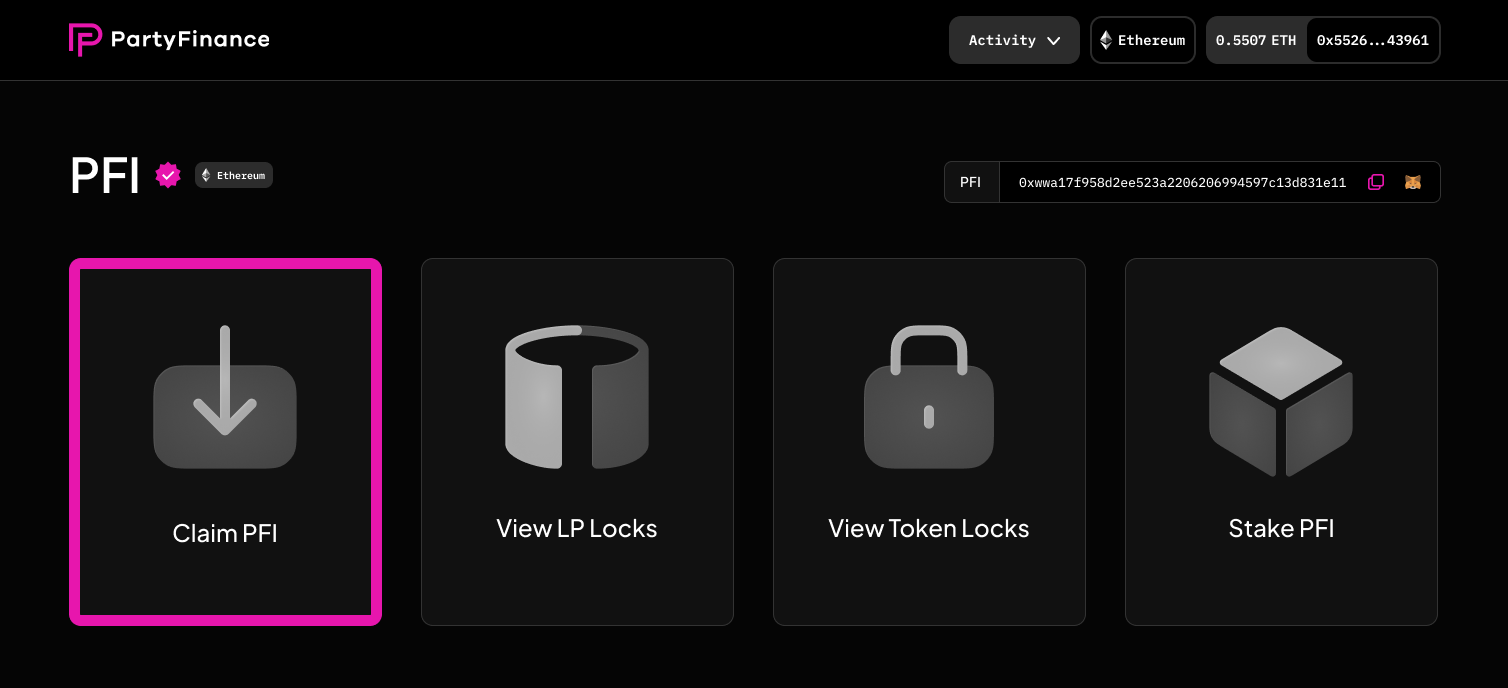
3. Click the "Claim Token" panel on the left.
2. Connect your wallet to the Unvest app and select the correct network.
3. Click the "Claim Token" panel on the left.
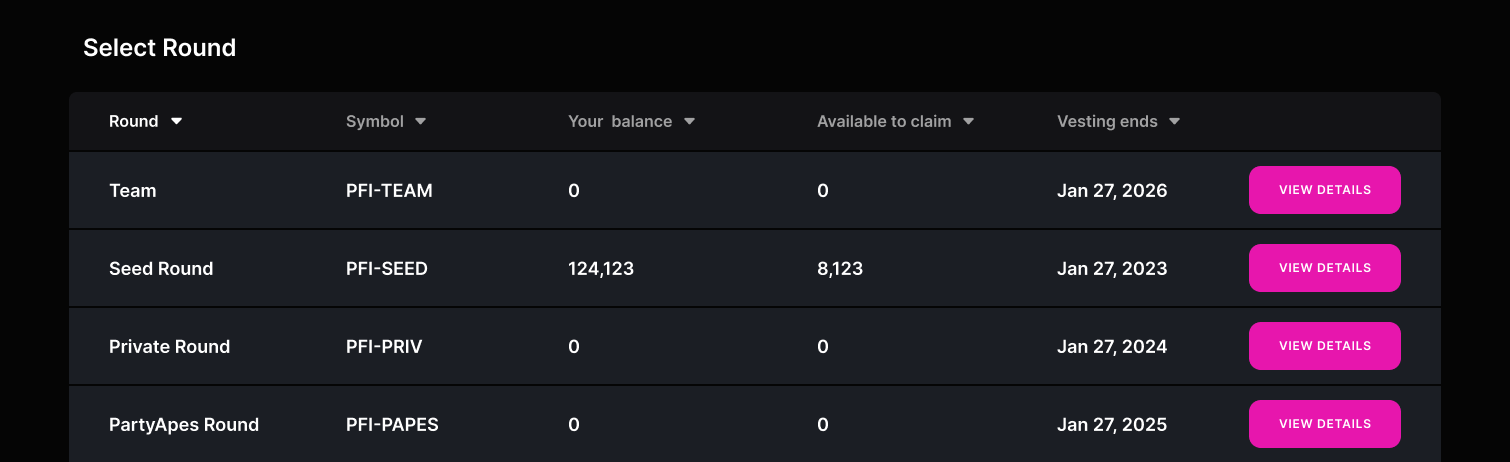
 4. Select the vesting round that you want to claim tokens from.
 5. If there are tokens available to claim, you should see a "Claim" button at the top of the screen.
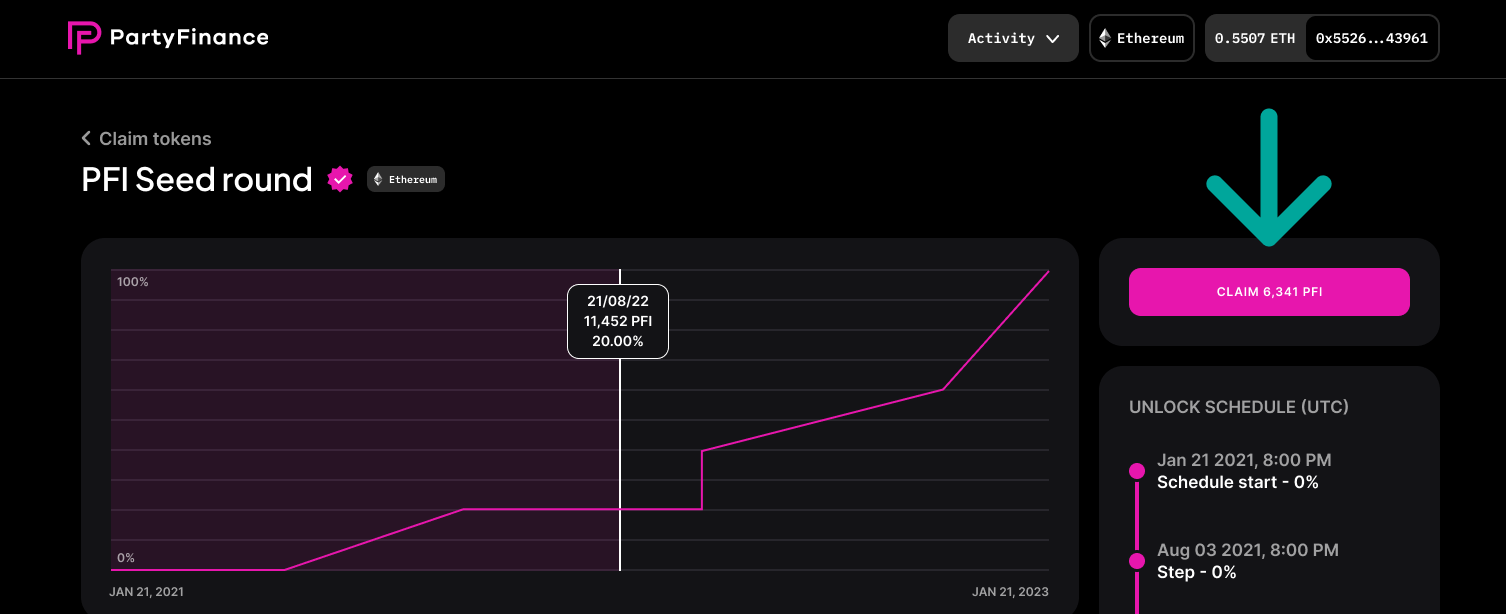 6. Click the "Claim" button and submit the transaction. Wait for the transaction to be confirmed.
7. Once your transaction has been confirmed, your claimed tokens will be transferred to your wallet and can be used or traded as you see fit.
If you have any issues or questions about claiming your tokens, you can reach out to the project team for assistance.
6. Click the "Claim" button and submit the transaction. Wait for the transaction to be confirmed.
7. Once your transaction has been confirmed, your claimed tokens will be transferred to your wallet and can be used or traded as you see fit.
If you have any issues or questions about claiming your tokens, you can reach out to the project team for assistance.